Walk-In Cooler Temperature Requirements: What the FDA Food Code Actually Says
The walk-in cooler temperature reference: FDA cold holding limits, freezer targets, check frequency, inspector expectations, and equipment warning signs.
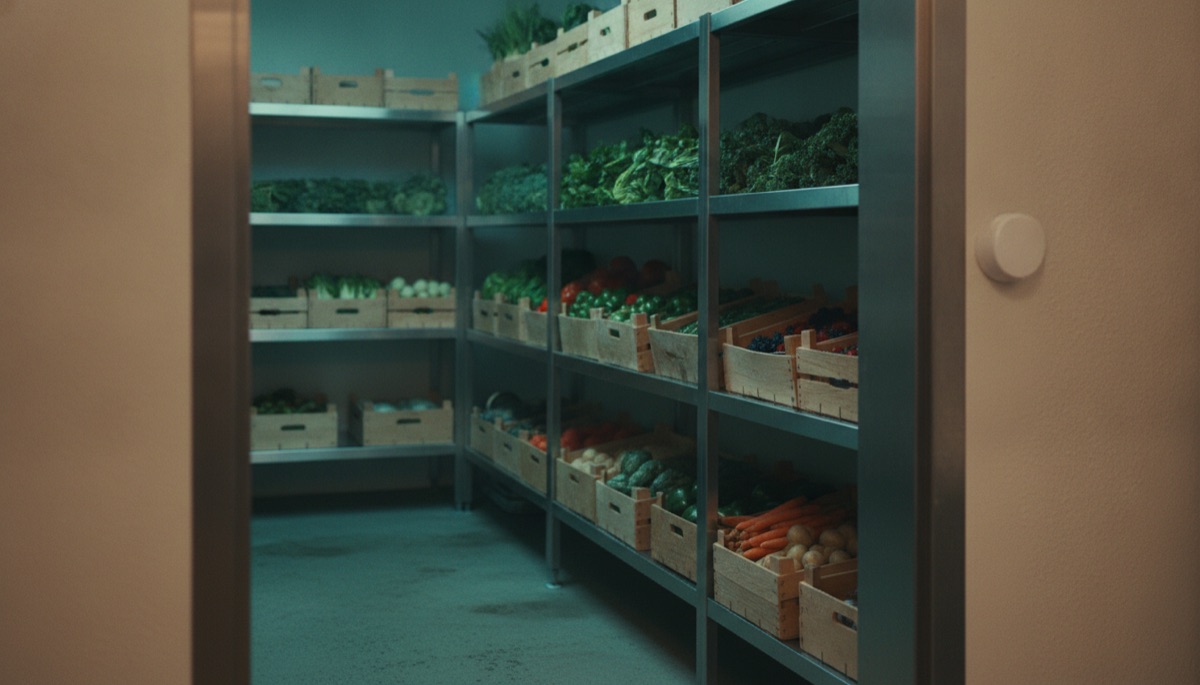
If you run a kitchen, the number that matters is 41. Per the FDA Food Code 2022 (Section 3-501.16), time/temperature control for safety (TCS) food must be held at 41°F (5°C) or below. Your walk-in cooler exists to keep everything inside under that line — all day, every day, including the hours when nobody is looking at it.
This guide covers what the rules actually require, how often to check, what health inspectors look for, and how to tell when a walk-in reading means the equipment itself is in trouble.
The walk-in cooler standard: 41°F or below
The FDA Food Code sets the cold holding limit at 41°F or less for TCS food — the dairy, meat, poultry, seafood, cooked rice and vegetables, cut produce, and prepared items that make up most of what lives in a walk-in. Note the wording: the requirement applies to the food, not the air. An air reading of 41°F often means the product sitting near the door or under the evaporator fan is running warmer.
That is why most operators set walk-ins between 35°F and 38°F. The buffer absorbs door swings, defrost cycles, and warm deliveries while keeping product safely under the limit. If your walk-in needs to be set at 41°F on the nose to hold 41°F product, it is already telling you something.
Walk-in freezer: 0°F is the benchmark
The Food Code requires frozen food to be stored frozen. For the actual set point, FDA storage guidance puts freezers at 0°F (-18°C). Zero is not about killing bacteria — freezing pauses microbial growth well before that — it is about quality. At 0°F, ice crystal growth slows dramatically and product holds its texture and value far longer.
The danger zone: 41°F to 135°F
Between 41°F and 135°F, bacteria multiply fast — in the middle of that range, populations can double in as little as 20 minutes. The Food Code is built around keeping TCS food out of this zone: cold food below 41°F, hot food above 135°F. For the full set of holding, cooking, cooling, and reheating numbers, see our FDA Food Code temperature chart.
When temperature control fails, time becomes the control. Per Food Code Section 3-501.19, TCS food can spend a maximum of 4 hours out of temperature control — with written procedures in place — before it must be sold, served, or discarded. That is the math behind every post-failure discard decision: if you cannot prove how long product sat above 41°F, it goes in the trash.
Per-food-type guidance inside the walk-in
- All TCS food — 41°F or below, per Food Code Section 3-501.16. This is the ceiling, not the target.
- Milk — may arrive at 45°F under Food Code receiving rules, but it holds at 41°F or below once it is in your walk-in.
- Shell eggs — receive at an ambient air temperature of 45°F or less, then keep them refrigerated.
- Raw proteins — same 41°F ceiling, stored to prevent cross-contamination: poultry on the bottom shelf, ground meats above it, whole cuts above those, ready-to-eat food on top.
- Ready-to-eat TCS food held longer than 24 hours — date mark it. Per Food Code Section 3-501.17, it gets a maximum of 7 days at 41°F or below, counting the day it was prepped.
- Frozen food — keep it frozen, with 0°F as the working target.
How often should you check walk-in temperatures?
The Food Code requires food to stay at temperature, but it does not prescribe a fixed check frequency for your equipment — that comes from your HACCP plan, your brand standards, and your local health department. Most operations land on two to four documented checks per day, and a compliant record needs more than a number scribbled on a clipboard — see our guide to HACCP temperature log requirements for what auditors expect.
Here is the problem with checks spaced hours apart: the 4-hour rule. A walk-in that fails ten minutes after your 9 p.m. check has all night in the danger zone before the opener finds it — and compressors do not schedule their failures for business hours. Manual logs cannot see 2 a.m. Automated temperature logging exists precisely because of the gap between checks.
What inspectors look for
- A working, easily readable thermometer inside the unit — and they will compare it against their own calibrated probe.
- Product temperatures, not just air. Inspectors probe the potato salad, not the doorframe.
- Storage order — raw poultry sitting above produce is a citation waiting to happen.
- Date marks on ready-to-eat TCS food, with nothing past its 7-day window.
- Temperature logs that show consistent checks, and corrective actions written down for any out-of-range reading.
When a walk-in reading means equipment trouble
Your temperature history is also an equipment health record. Four patterns worth acting on:
- Slow upward creep over weeks — usually dirty condenser coils, a failing door gasket, or low refrigerant. Cheap to fix now, expensive later.
- Widening temperature swings — a compressor short-cycling or an evaporator icing over. The average may still look fine while the swings quietly stress the unit.
- Slow recovery after door openings — healthy walk-ins pull back down quickly. Recovery that stretches from minutes to an hour points at gaskets, traffic habits, or a struggling system.
- Defrost spikes that do not come back down — a stuck defrost cycle can push a walk-in above 41°F for hours.
A single reading tells you almost nothing; the trend tells you a compressor is dying three weeks before it does. Continuous monitoring catches these patterns automatically, and the labor and spoilage math is easy to run for your own operation with our savings calculator.
The bottom line
Keep TCS food at 41°F or below, run the box at 35–38°F, target 0°F in the freezer, check and log at least twice a day with corrective actions written down — and treat drift as an early warning, not background noise. If you would rather never think about walk-in temperatures again, book a 15-minute demo and see what 24/7 automated monitoring looks like on your own coolers.
Get the monthly cold-chain briefing
One email a month — food safety trends, compliance changes, and operator playbooks. No spam, ever.